GPT Transcribe
Sign up
OpenAI gpt-transcribe · gpt-live-transcribe

Speech to text that understands context

GPT Transcribe turns meetings, calls, and streams into clean text. Use gpt-transcribe for finished files and gpt-live-transcribe for low-latency live captions — with scene prompts, keywords, and multilingual hints.

8.98%
real-world word error rate (gpt-transcribe)
Context
scene prompts, keywords, and language hints
2 models
file batch + live streaming STT

GPT Transcribe

Live transcription preview

Speech → Text
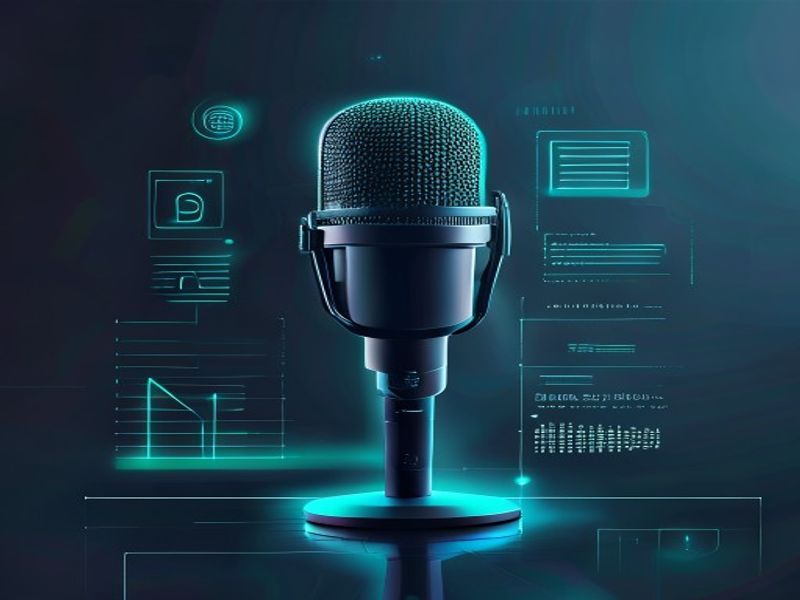
AI speech-to-text interface with waveform converting into transcript lines
Sample transcript

Customer called about upgrade plan AC-42. Confirmed billing cycle, noted Spanish code-switch mid-call, and booked a follow-up for Thursday 3pm.

Online generator

Speech to text workspace

Upload a recording for gpt-transcribe, or speak live for streaming captions. Add optional scene context, keywords, and language hints for higher accuracy.

Drop audio here or click to upload

mp3, mp4, m4a, wav, webm · max 25MB · powered by gpt-transcribe

Context is a first-class feature of the new models: describe the scene, list expected terms, and hint mixed languages. Keywords only appear if spoken.

Transcript

Editable result — copy when ready

How to use

How to transcribe audio online.

Upload or record audio, optionally add a scene prompt plus keywords and languages, run transcription, then copy and lightly edit the text.

  1. 01

    Upload or speak

    Choose file mode for finished recordings, or live mode to capture microphone audio with interim captions.

  2. 02

    Add optional context

    Describe the scene, list expected terms, and hint languages. Skip any field you do not need.

  3. 03

    Run transcription

    File jobs use gpt-transcribe. Live sessions stream interim text, then finalize the capture for a cleaner transcript.

  4. 04

    Copy and refine

    Edit the result inline, copy to your clipboard, and re-run with better keywords if a critical term was missed.

Two models, clear jobs

gpt-transcribe for files. gpt-live-transcribe for live audio.

OpenAI split transcription into two recommended entry points. Pick by whether the audio is already finished — or still being spoken.

gpt-transcribe

gpt-transcribe

Optimized for completed audio files and batch workloads: meetings, podcasts, support recordings. Async transcription with optional progressive results.

  • Replaces whisper-1 as the recommended file STT starting point
  • Real-world recording WER 8.98% vs whisper-1 15.21%
  • Stronger on accents, short phrases, numbers, and specialized terms
Real-world WER
8.98%
gpt-live-transcribe

gpt-live-transcribe

Built for low-latency live transcription over WebSocket / WebRTC: captions, calls, streaming speech that is still being produced.

  • Successor recommendation to gpt-realtime-whisper for live STT
  • Tunable delay ladder from minimal latency to max accuracy
  • Higher accuracy than prior live STT, tuned for captions and calls
Focus
Low latency

Straightforward workflow

From audio to clean transcript in three steps.

Upload or speak, add context the model can actually use, then copy a draft you can lightly edit instead of re-listening the whole recording.

GPT Transcribe workflow — bring audio file or live mic input for gpt-transcribe and gpt-live-transcribe speech to text01

Bring the audio

Drop a finished file for gpt-transcribe, or open the mic for live capture and interim captions.

GPT Transcribe context step — scene prompt, keywords, and language hints for gpt-transcribe and gpt-live-transcribe02

Add context

Optional scene prompt, keyword list, and language hints — trained so the new models actually improve when you provide them.

GPT Transcribe export step — review and copy transcript from gpt-transcribe or gpt-live-transcribe speech to text03

Export the text

Review the transcript, copy it into notes or docs, and iterate on context if specialized terms need another pass.

What improved

Context-aware speech recognition, not blind listening.

The real leap is not just lower WER. New models learn to use free-form scene descriptions, keyword lists, and multi-language hints. Older models barely moved when given the same context.

+3.6 / +6.1

semantic accuracy points gained with context (file / live)

57+

languages shown in OpenAI demos (verify for your locales)

Scene prompts

Tell the model this is a support call, clinical note, or product demo so names, IDs, and domain phrasing land correctly.

Keyword hints

Pass product names, drug names, or acronyms. They only appear if spoken — not forced into the transcript.

Code-switching

Supply multiple language codes (e.g. en + es or en + zh-cn). Mid-utterance switches no longer need a manual language flip.

Real-world audio

Stronger on accents, short phrases, numbers, specialized terminology, and speech under loud background noise.

Built for real work

Where teams use GPT Transcribe

From archived recordings to live captions — pick the model that matches whether audio is finished or still streaming.

Meetings & podcasts

Batch-transcribe long recordings with gpt-transcribe, then light-edit the draft instead of replaying the whole session.

Customer support

Feed account IDs and plan names as keywords so order numbers and product terms survive noisy phone audio.

Live captions

Stream speech with gpt-live-transcribe for calls, classrooms, and events that need words on screen as they are spoken.

Voice notes

Dictation, field notes, and multilingual voice memos with optional language hints for mixed speech.

FAQ

Frequently asked questions

Practical answers about gpt-transcribe, gpt-live-transcribe, and the online generator.

Turn real-world speech into text you can trust.

Start with the online generator — file transcription via gpt-transcribe or live capture for streaming captions.